
The Best Settings For Image Compression
Recommended Tools
Step By Step Guide To Compressing Images
This guide is for single image compression for Squoosh. However, it also works much the same for Bulk Image Compressor.
Step One: Choose An Image
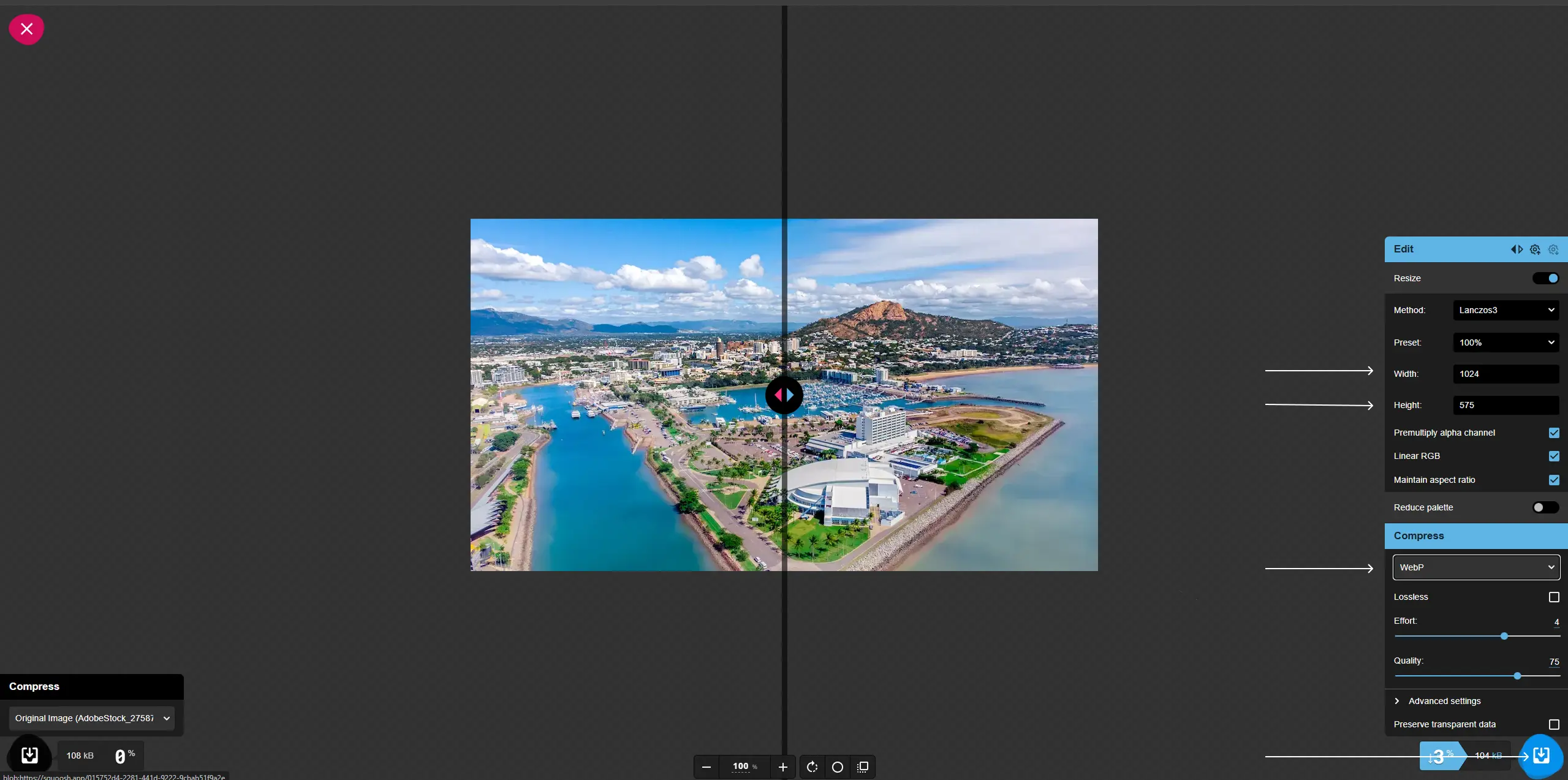
Step Two: Set Your Dimensions
Step Three: Change Your Format
Step Four: Download & Edit Your Image
Step Five: Upload Your Image
Finally, upload your image to your platform, whether that’s WordPress, Shopify or any CMS, you’ll want to add an alt text describing the image for accessibility and SEO good practice. We go into more detail about alt text below.
Understanding Image Compression
Image compression reduces the file size of an image while trying to preserve as much visual quality as possible. There are two main types of compression. Lossy compression removes some visual information to achieve a smaller file size, while lossless compression maintains quality but may not reduce the size significantly. For most websites, lossy compression provides better performance benefits without noticeable quality loss.
Search engines reward websites that load quickly. Compressed images help improve Core Web Vitals such as Largest Contentful Paint. Faster pages mean better user experience, lower bandwidth usage and a higher chance of ranking well, especially on mobile devices.
Choosing The Right Format
Recommended Dimensions For Website Images
Hero banners are often displayed large, so a width of 1600 to 2000 px is usually enough. Blog feature images typically look good around 1200 px width. Thumbnails and small graphics can be anywhere from 300 to 600 px depending on placement. Product photos should be large enough to show detail, often between 1200 and 1600 px on the longest side.
Landscape images offer more horizontal space, making them suitable for banners and featured sections. Portrait images work well for blog content and product layouts where vertical orientation is required. Choosing dimensions that match your layout prevents unnecessary file size.
Alt Text & File Naming
Alt text helps search engines understand what an image represents, supports accessibility and assists with ranking for image search. Keep alt text descriptive and accurate. File naming also contributes to SEO. Use clear, keyword relevant names such as cardiff cafe interior.jpg rather than generic strings of numbers.
Local SEO benefits greatly from properly named images. If your photo shows a location or landmark in your service area, naming the file appropriately helps search engines connect your site with that location.
Contact Our Professional Team Today
Image compression is a quick win for SEO and user experience. By using the right formats, choosing appropriate sizes and following a consistent process, you can significantly improve your website’s performance without sacrificing visual quality.
If you need help optimising your website or improving your SEO performance, Formwork Digital is here to support you.